

How to Create Facebook Ads API for Claude Code
Claude Code can pull Facebook ad reports, compare creatives, pause losing ad sets, and draft new campaigns. It can only do that if it can talk to Meta. That means you need a Meta Marketing API access token.

Most guides show you the fast way to get one: open the Graph API Explorer, click Generate Access Token, and copy the string. That token dies in an hour or two. If you stretch it into a long-lived token, it still dies in about 60 days, usually in the middle of a script you forgot was running.
This guide shows the setup that holds up for an AI agent: a system user token that never expires, scoped to one ad account, one Page, and one app. It takes about 20 minutes, and you do not need to finish Meta's App Review.
What a Meta Marketing API Access Token Is
Meta does not give you a permanent "API key" for ads. Every call to the Marketing API carries an access token. The token says which app is calling, which person or system user it acts for, and which permissions it has.
There are three types you will run into:
- Short-lived user token · How you get it: Graph API Explorer · Lifespan: 1–2 hours · Good for: A quick test call
- Long-lived user token · How you get it: Exchange the short-lived token with your app secret · Lifespan: About 60 days · Good for: Occasional scripts you are willing to re-auth
- System user token · How you get it: Business Settings → System users · Lifespan: Can be set to never expire · Good for: Agents, cron jobs, and always-on automation
User tokens are tied to a real person. If that person changes their password, leaves the company, or loses access to the ad account, the token breaks. A system user is a non-human account that lives inside your Business Manager. Its token is not tied to anyone's login, so it keeps working after staff changes.
For Claude Code, you want the system user token. An agent that loses access every 60 days is not worth much, and an expired token fails without warning. Your Monday report comes back empty and nobody knows why.
What You Need Before You Start
- Admin access to Meta Business Manager (business.facebook.com). Only admins can create apps and system users.
- An ad account owned by that Business portfolio.
- The Facebook Page your ads run from, also in the Business portfolio.
- A public privacy policy URL. Meta will not let you publish the app without one. Any live privacy page on your site works.
- A second admin on standby, if your Business Manager needs two-admin approval for tokens (more on this below).
Free PDF · the crash course
AI Agents for Marketing Crash Course
Learn how to deploy AI marketing agents across your go-to-market — the best tools, prompts, and workflows to turn your data into autonomous execution without writing code.
Step 1: Create a Developer App
The app is the "caller" Meta sees on every API request. You create it from inside Business Settings, so it is linked to your Business portfolio from the start.
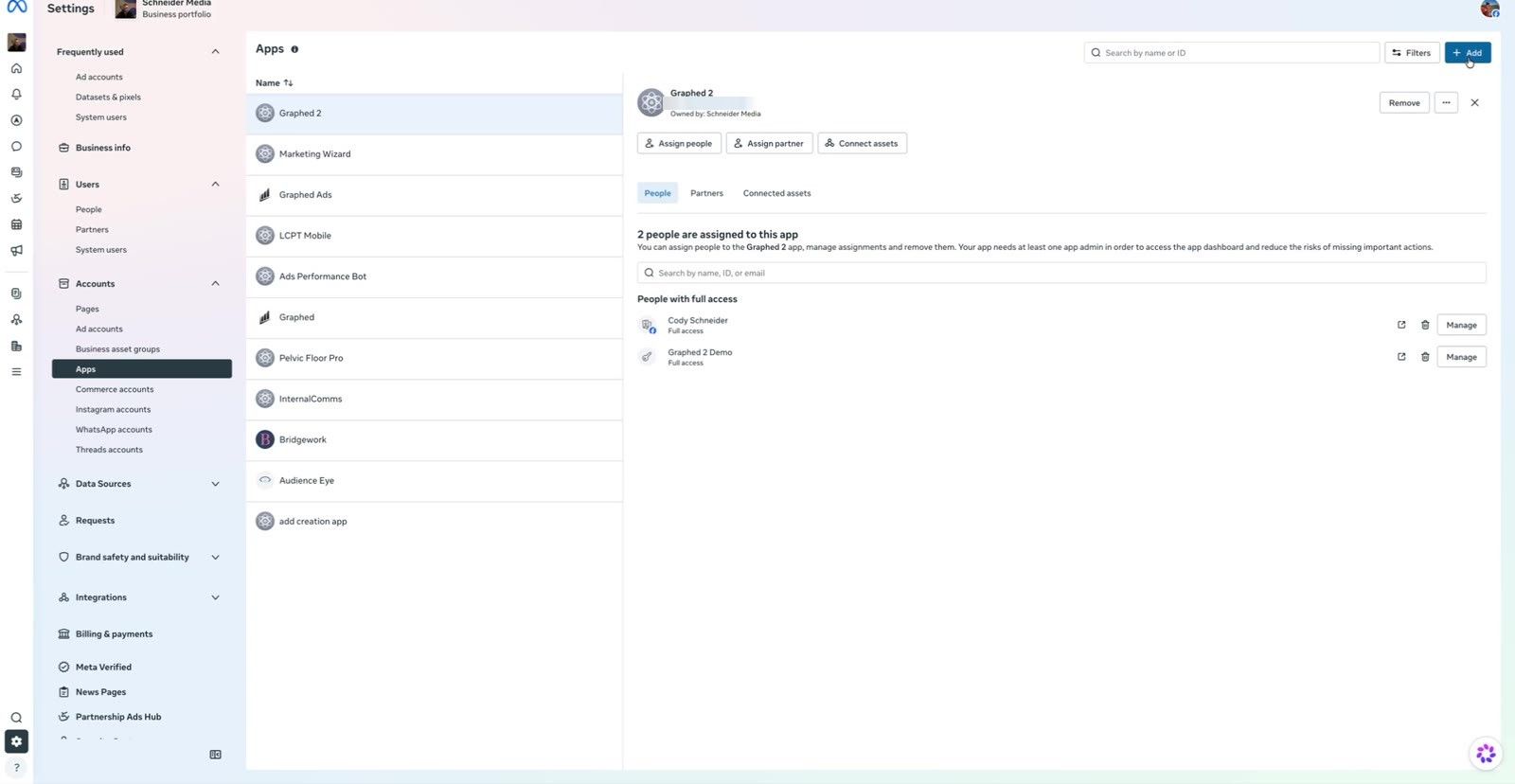
1. Open Business Settings → Apps (business.facebook.com/latest/settings/apps).
2. Click Add in the top right and create a new app.
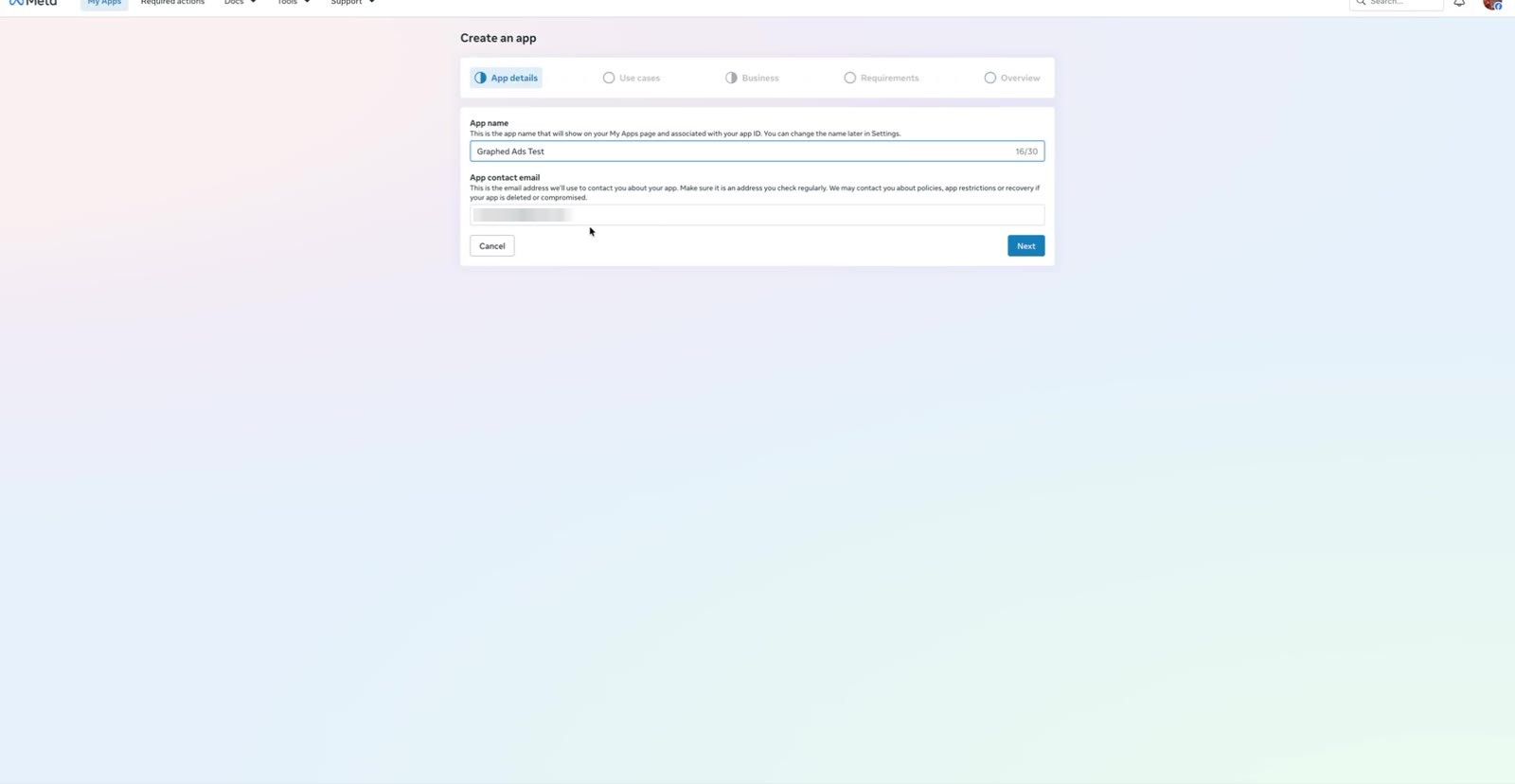
3. Name it something clear, like "Claude Code Ads." Use a work email as the app contact.
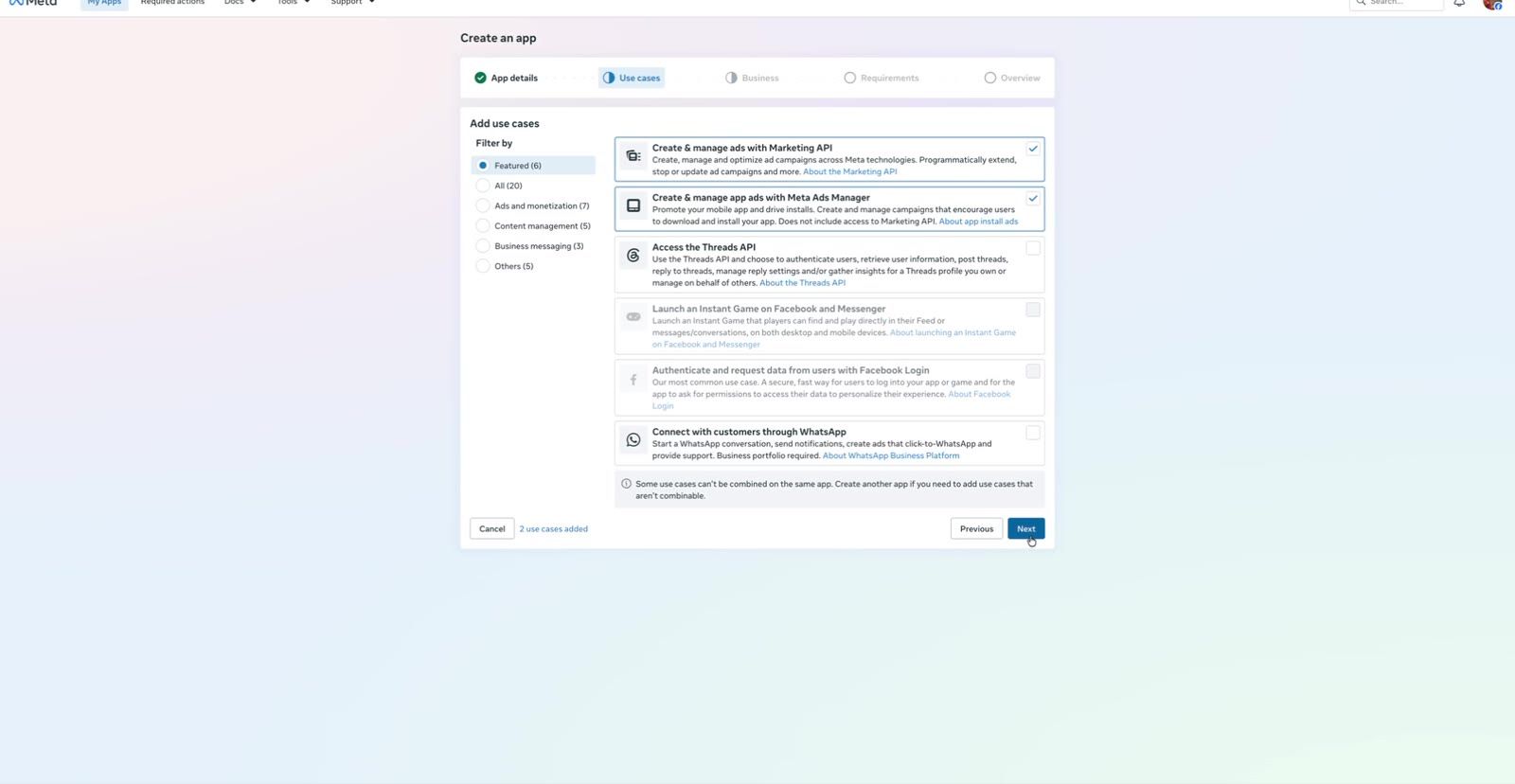
4. On the Use cases screen, select only these two:
- Create & manage ads with Marketing API
- Create & manage app ads with Meta Ads Manager
5. Connect the Business portfolio that owns your ad account.
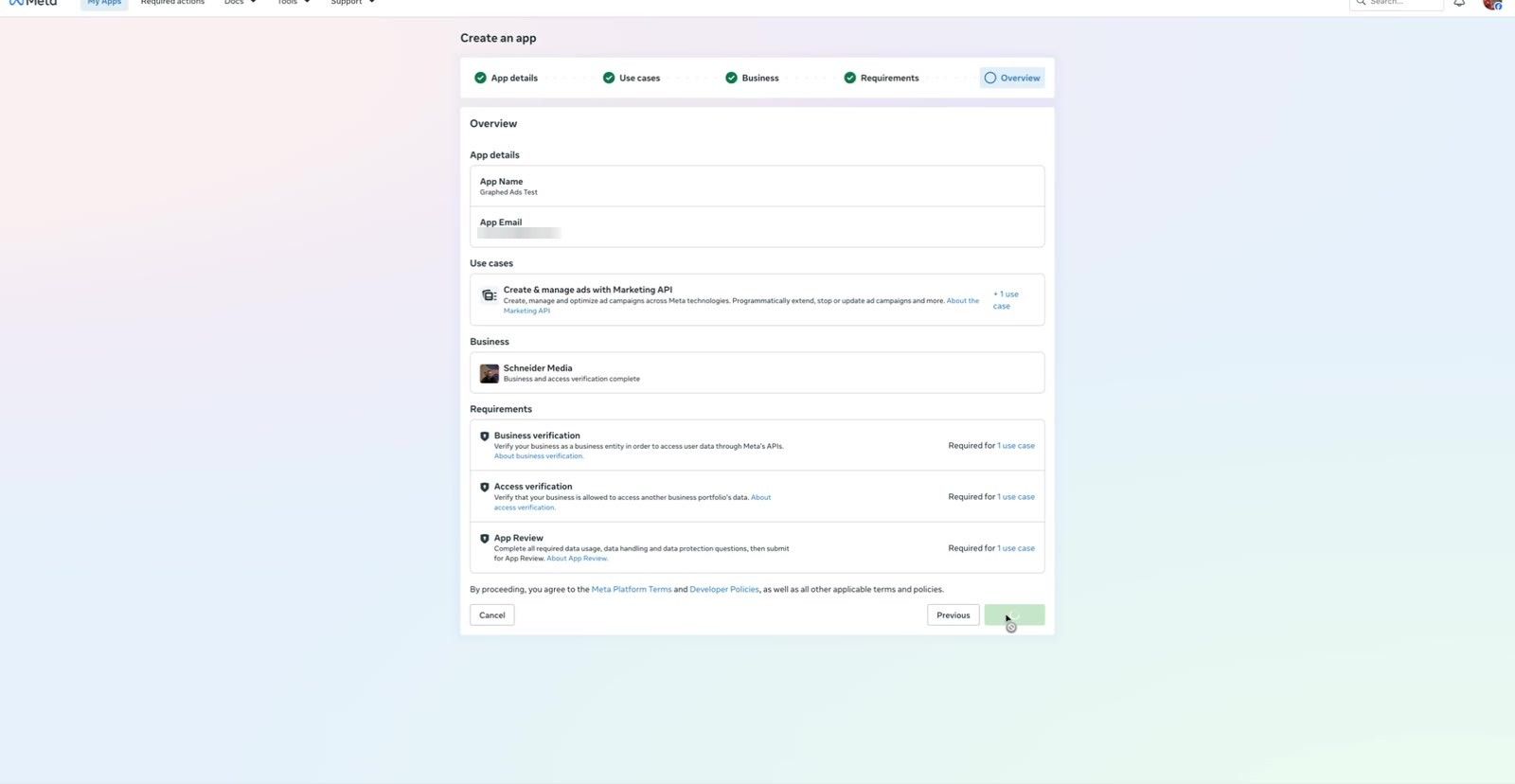
6. On the Requirements screen, click Next. You do not need to finish App Review to use the API on assets your own business owns.
7. Check the overview and click Create app.
Do not add extra use cases. Each one adds checklist items you must clear before you can publish.
Step 2: Add a Privacy Policy and Publish the App
A new app starts in development mode. You need to publish it, and Meta blocks publishing until the app has a privacy policy URL.
1. In the app dashboard, open App settings → Basic.
2. Paste your public Privacy policy URL and click Save changes. That is the only field you need to fill in.
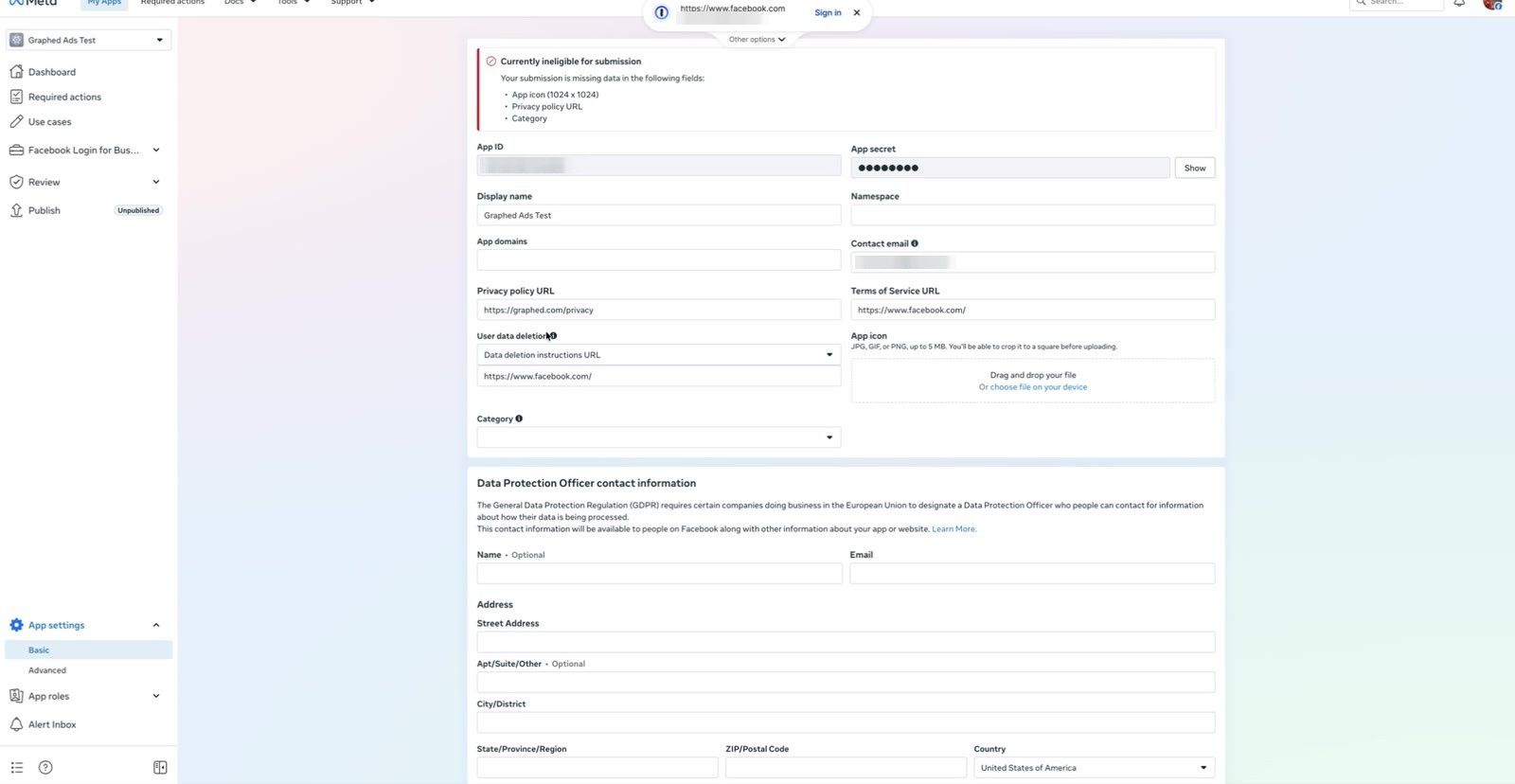
3. Open Publish in the left navigation. The privacy policy item should now be gone from the checklist.
4. Click Publish in the bottom right.
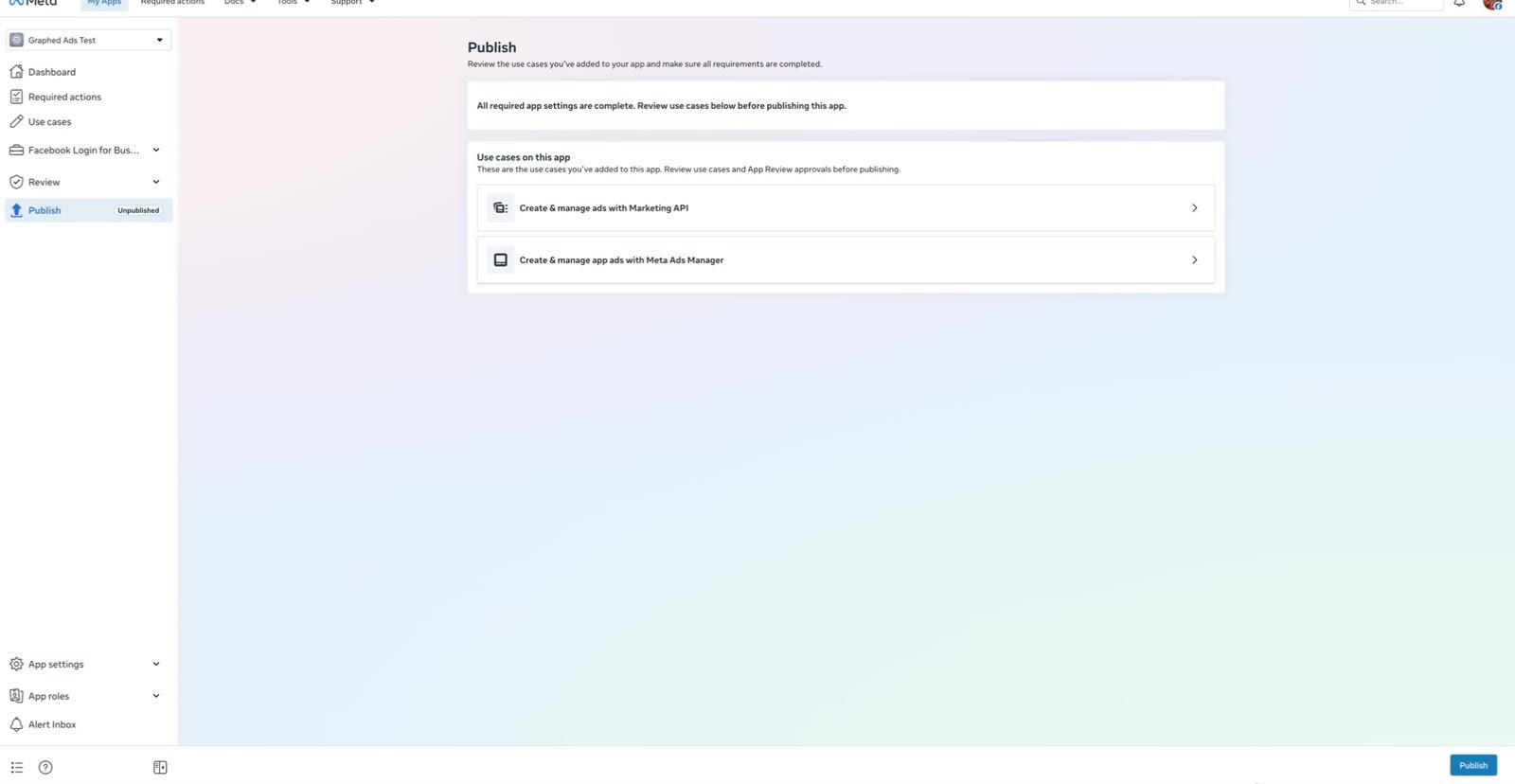
Publishing is not the same as App Review. App Review and Advanced Access are only required if your app will manage ad accounts owned by *other* businesses. To run your own ads from Claude Code, the standard access on a published app is enough.
Step 3: Create a System User
1. Go back to Business Settings → System users (business.facebook.com/latest/settings/system_users).
2. Click Add. Give it a name like "Claude Code."
3. Set the role to Employee, not Admin. The agent only needs the assets you give it in the next step. Less access means less damage if the token ever leaks.
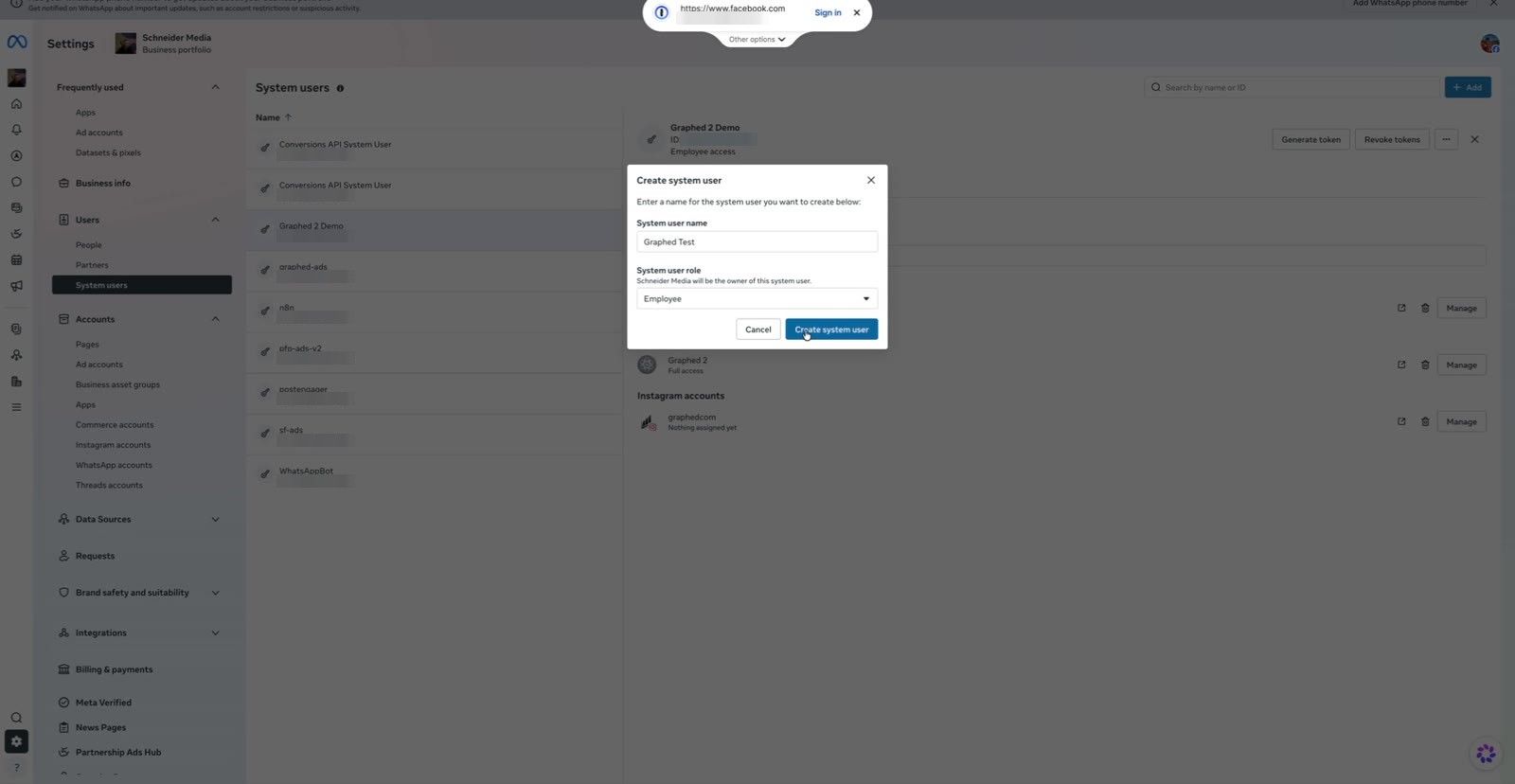
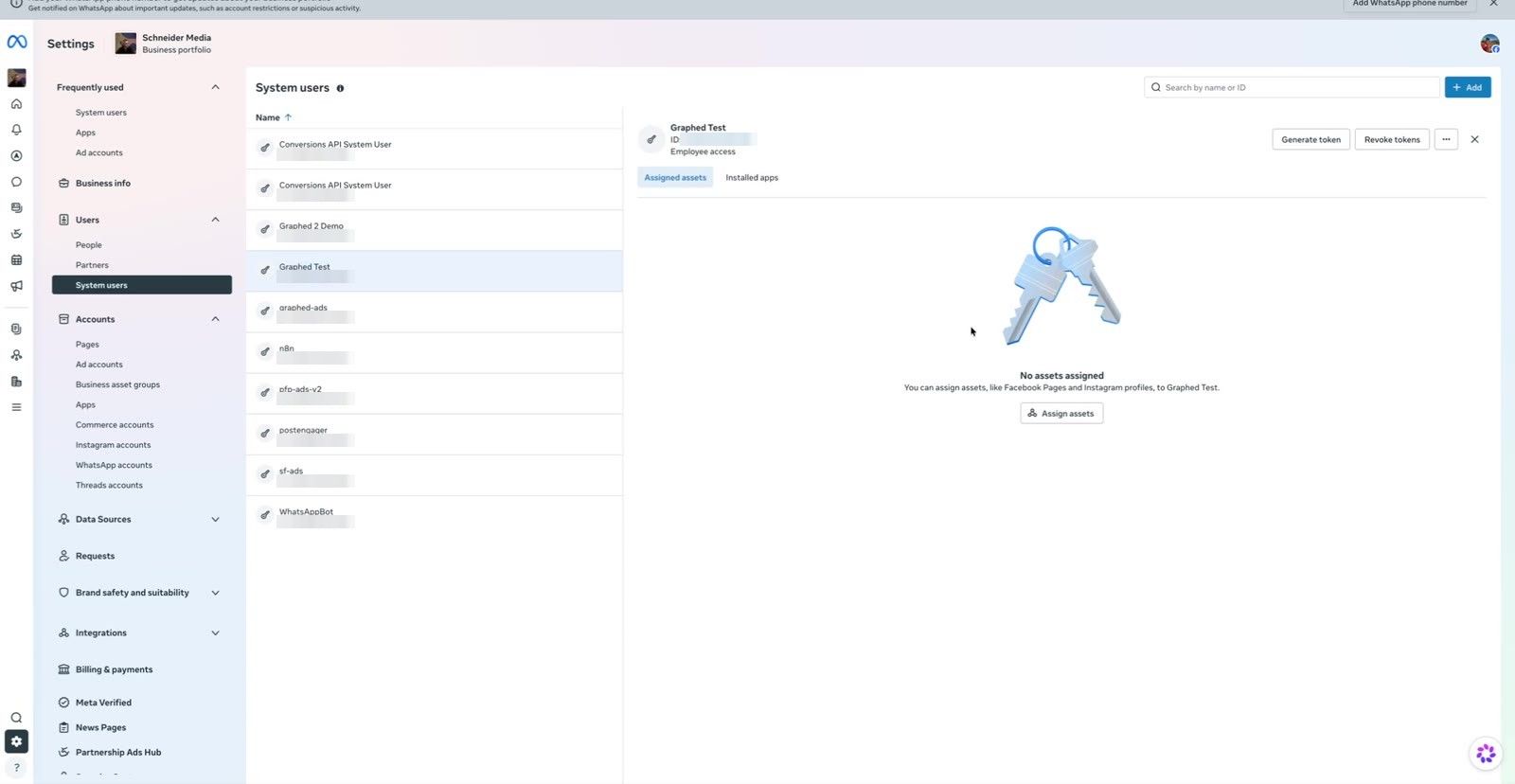
4. Open the new system user. It will show no assigned assets yet.
Step 4: Assign Assets to the System User
This is the step most people miss. A token can only touch assets assigned to the system user that generated it. Being in Business Manager yourself does not pass any access to the system user.
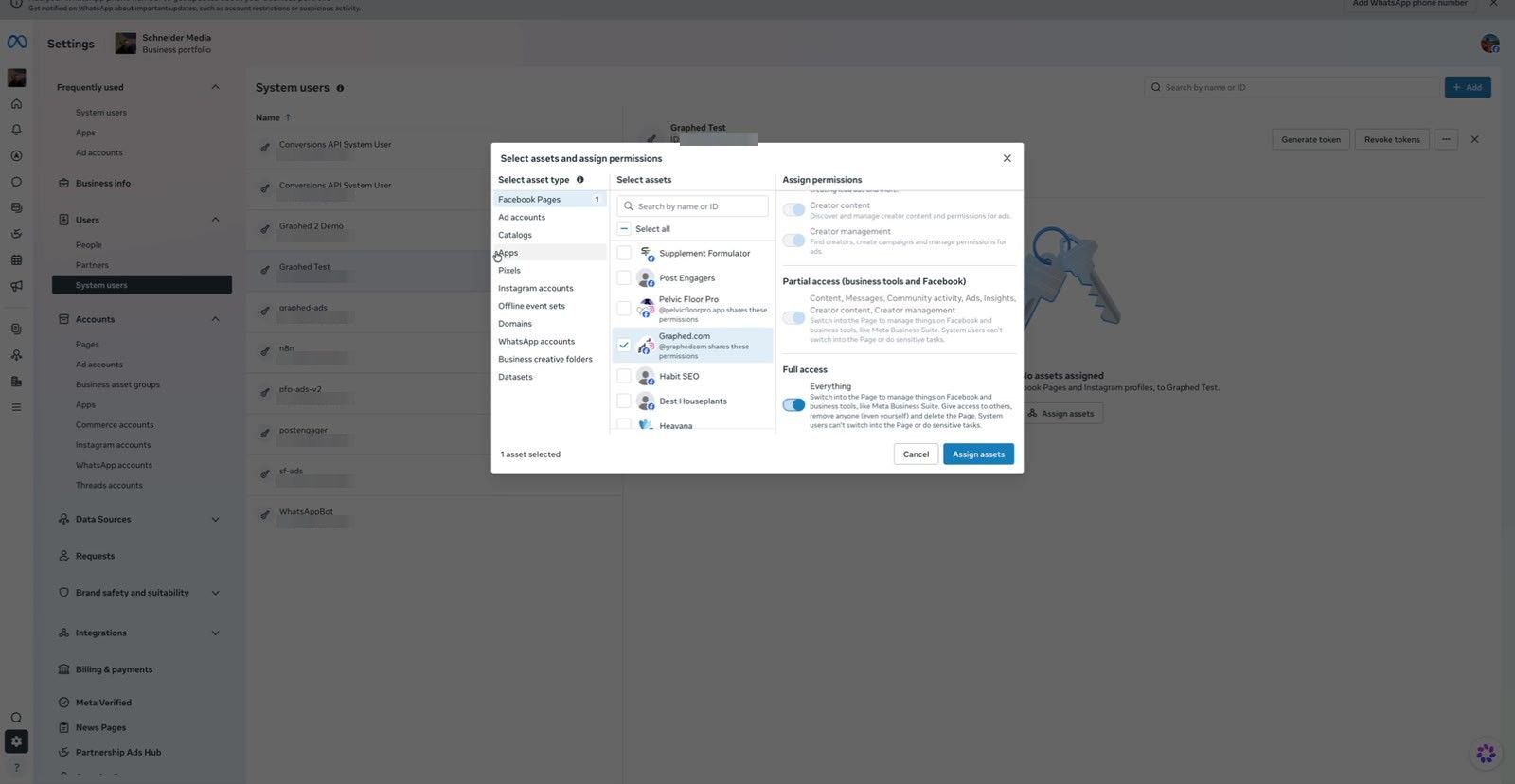
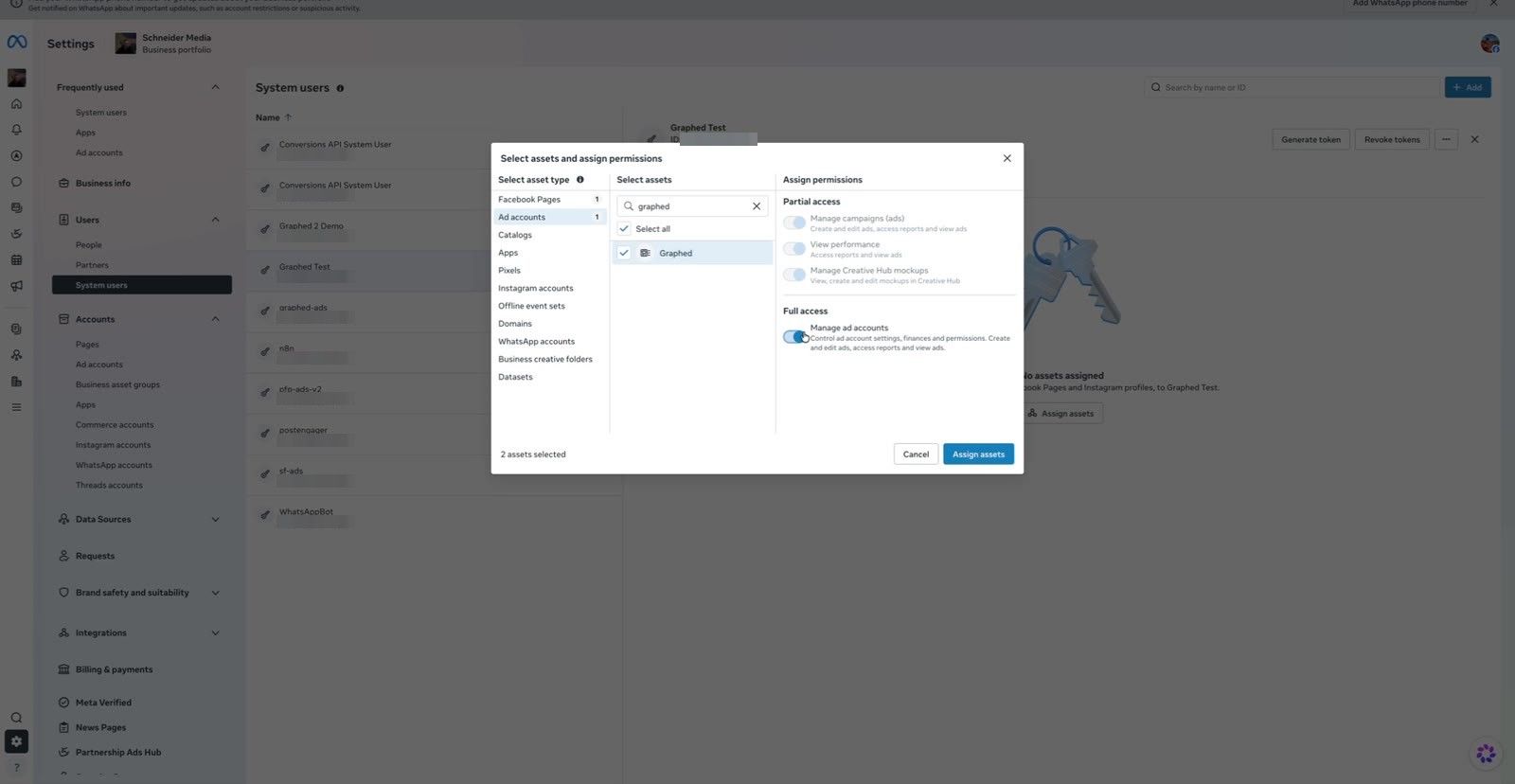
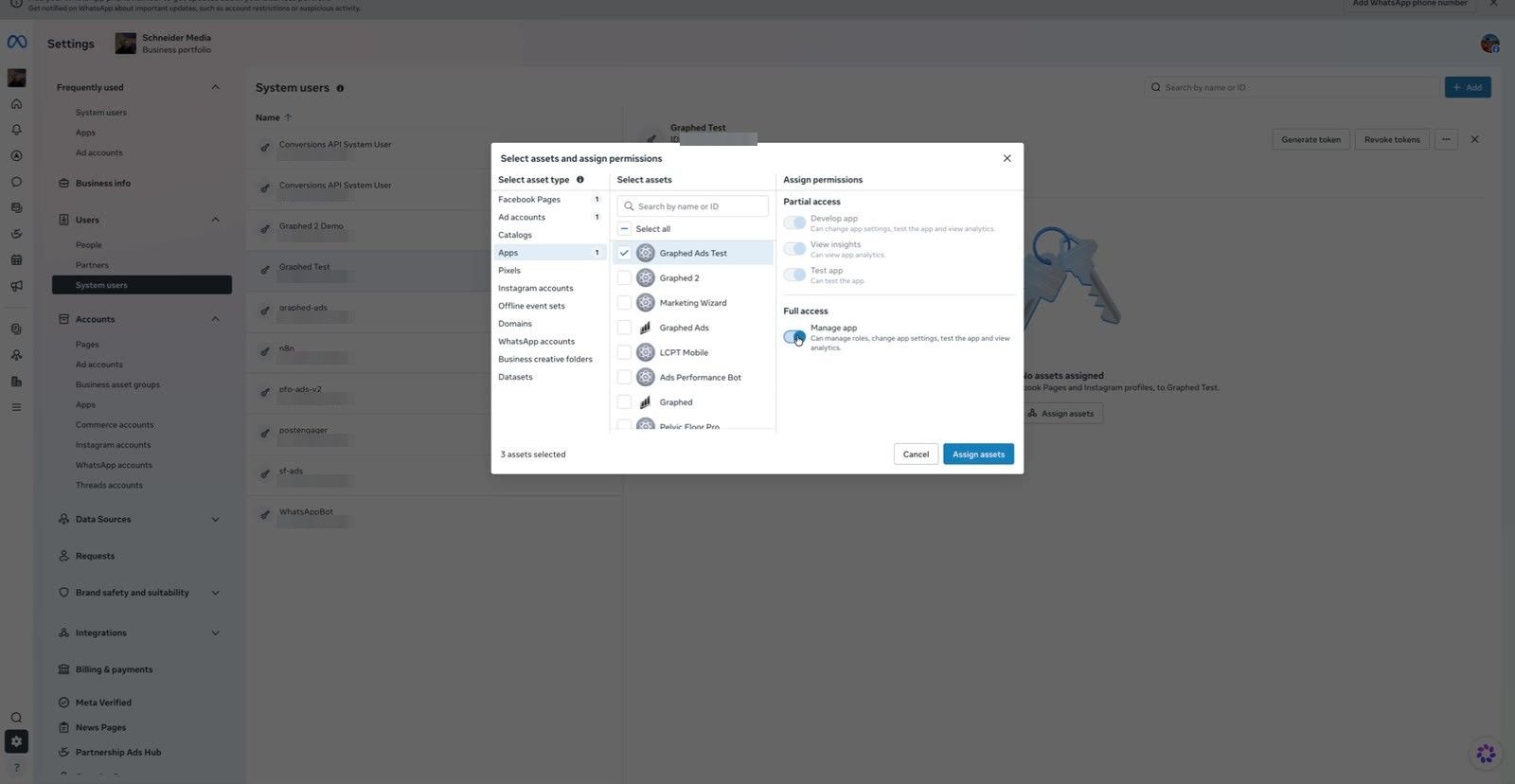
Click Assign assets and give Full access to each of these:
- Facebook Pages: the Page your ads run from. Ads need a Page identity, so without this the agent can read reports but cannot create ads.
- Ad accounts: the ad account Claude Code will work in.
- Apps: the developer app you made in Step 1, with Manage app turned on.
- Instagram accounts: your business Instagram account, if you run Instagram placements.
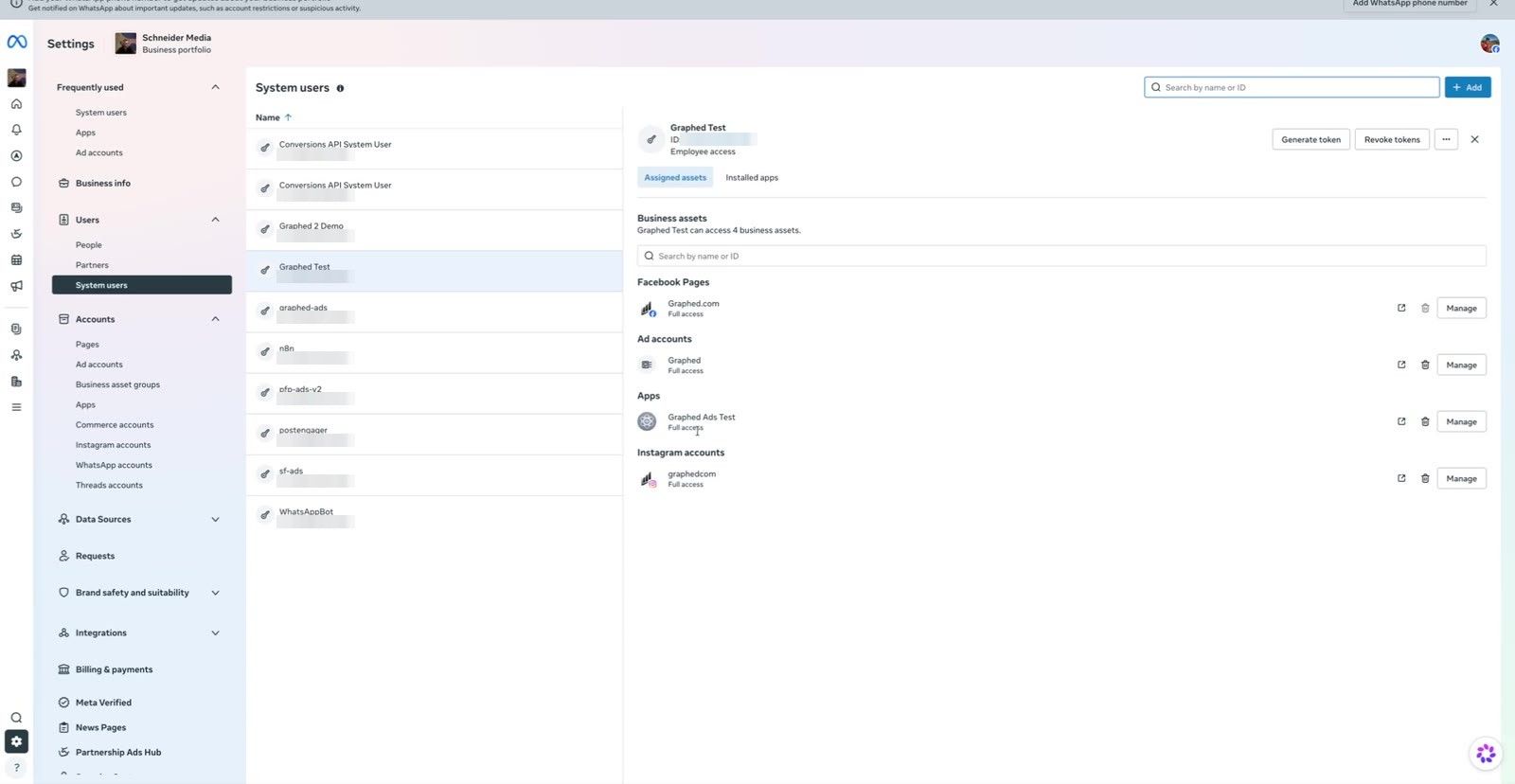
Click Assign assets, then refresh the page. The system user should now list the Page, ad account, app, and Instagram account. If one is missing, the matching API calls will fail with a permissions error later, so check this before you move on.
Step 5: Generate a Never-Expiring Meta Marketing API Access Token
1. On the system user, click Generate token.
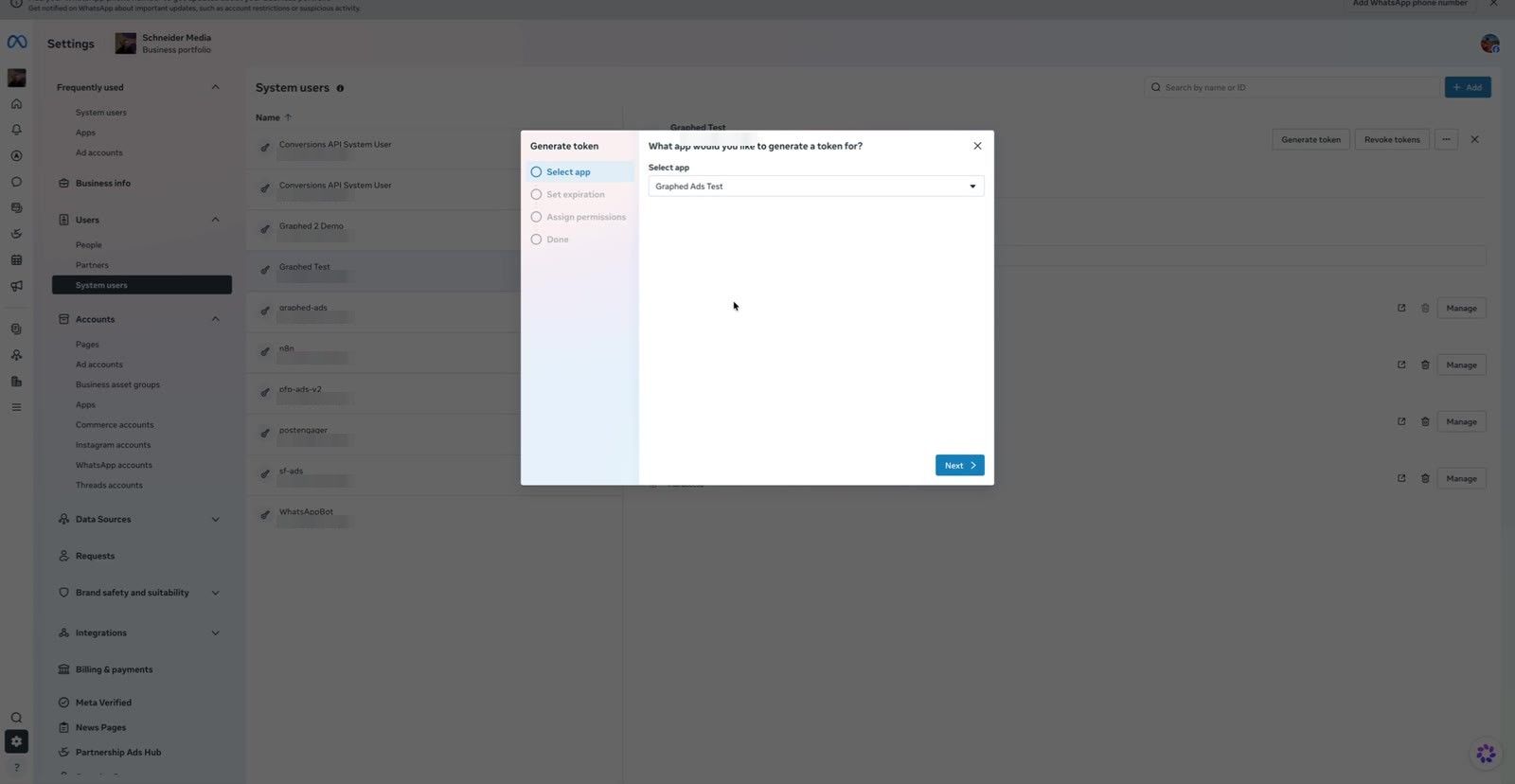
2. Select the developer app you created in Step 1.
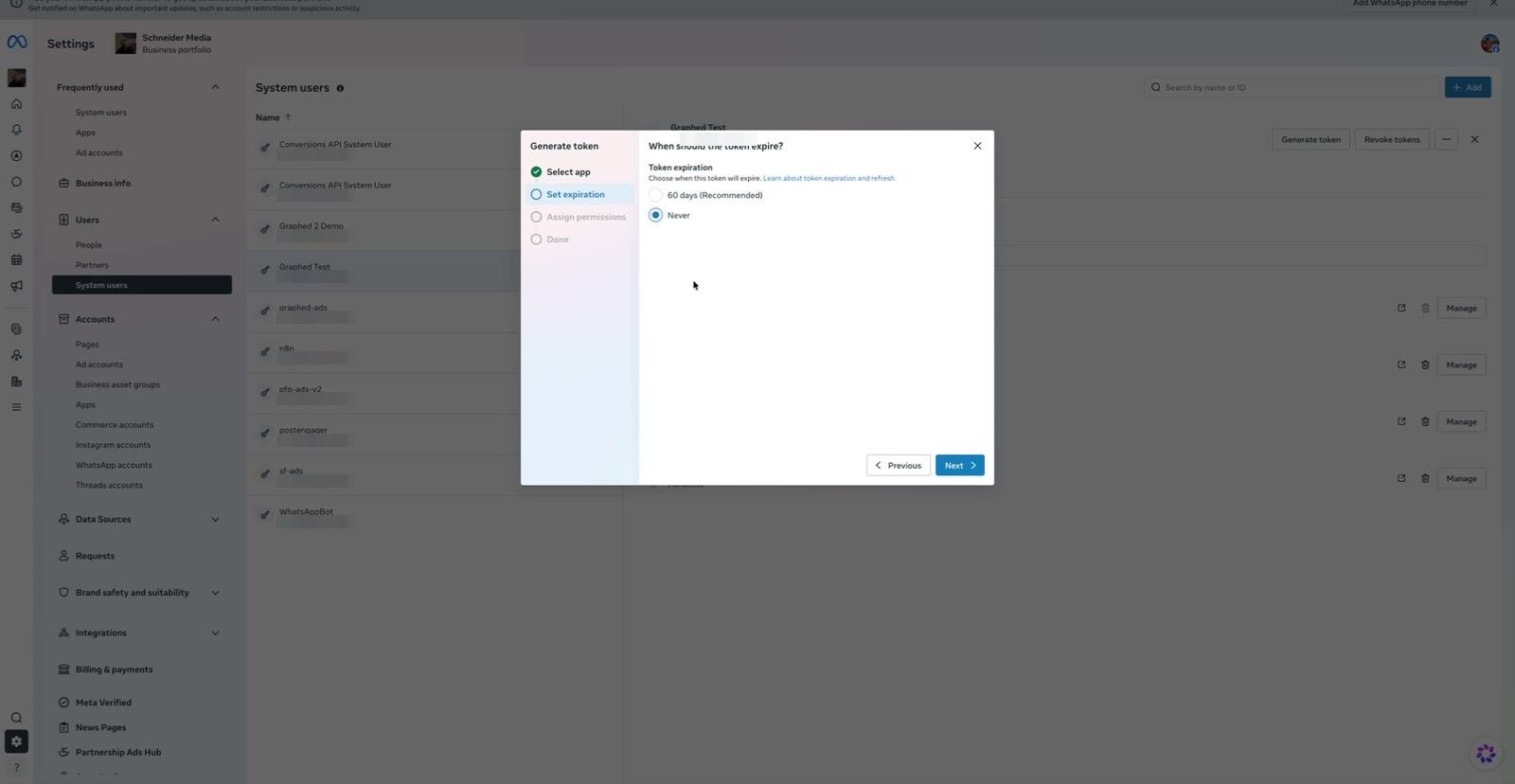
3. Set Token expiration to Never. Do not pick 60 days. An expired token breaks every script and agent that uses it, and Meta does not warn you first.
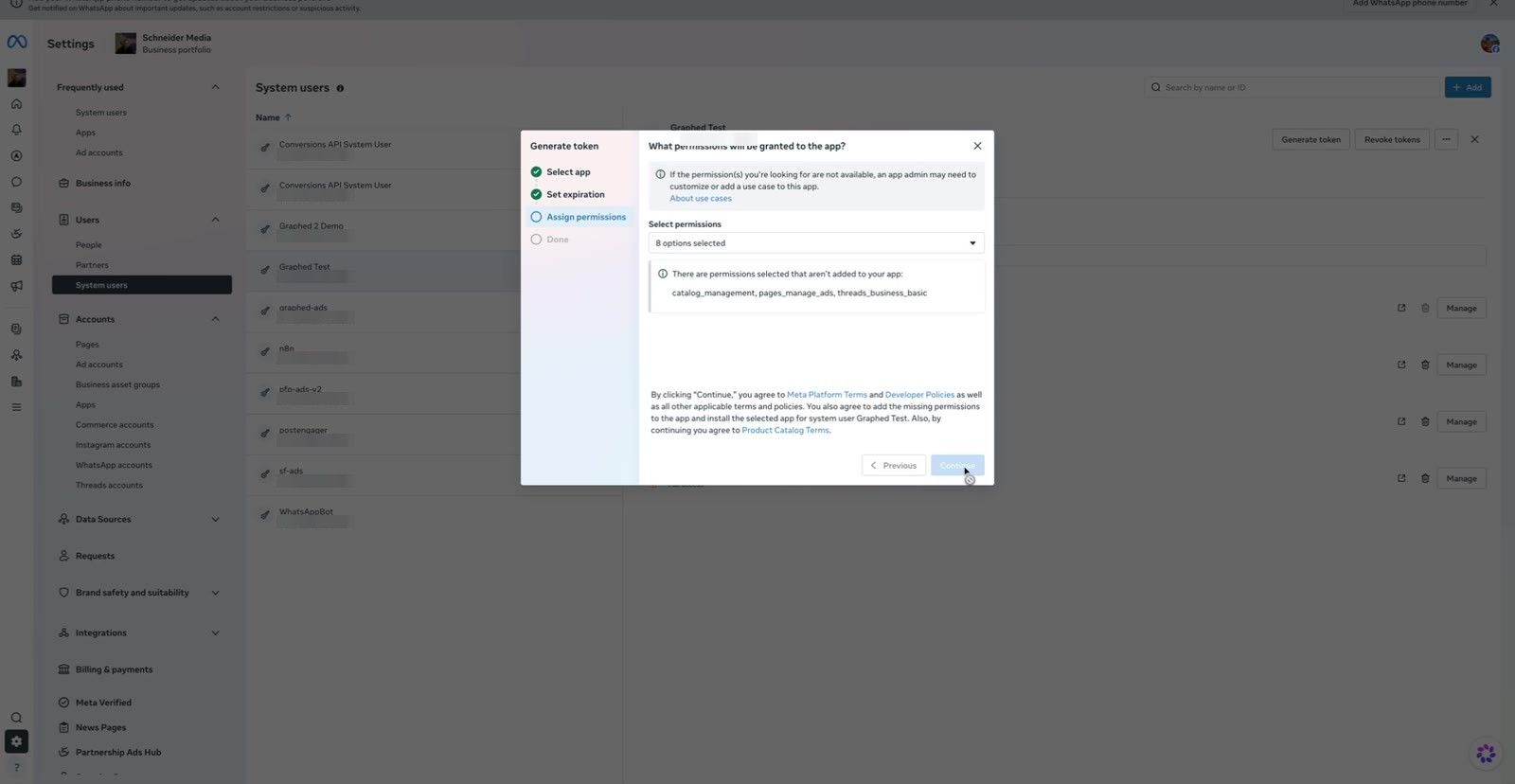
4. Under permissions, select all of them. If Meta warns that some permissions are not yet added to the app, continue anyway. At a minimum, make sure these are checked:
ads_management: create and edit campaigns, ad sets, and adsads_read: pull performance and insights databusiness_management: read and manage Business Manager assetscatalog_management: work with product catalogs for shopping adspages_manage_ads: create ads that run from your Pagepages_show_list: list the Pages the token can usepages_read_engagement: read Page posts and engagementthreads_business_basic: basic access for Threads placements
5. Click Generate token, then Continue.
6. Copy the token right away. Meta shows it once. If you lose it, you have to generate a new one.
If Your Business Manager Needs Two Admins
Some Business Managers require a second admin to approve a token before Meta shows it. If you see an "approval needed" message:
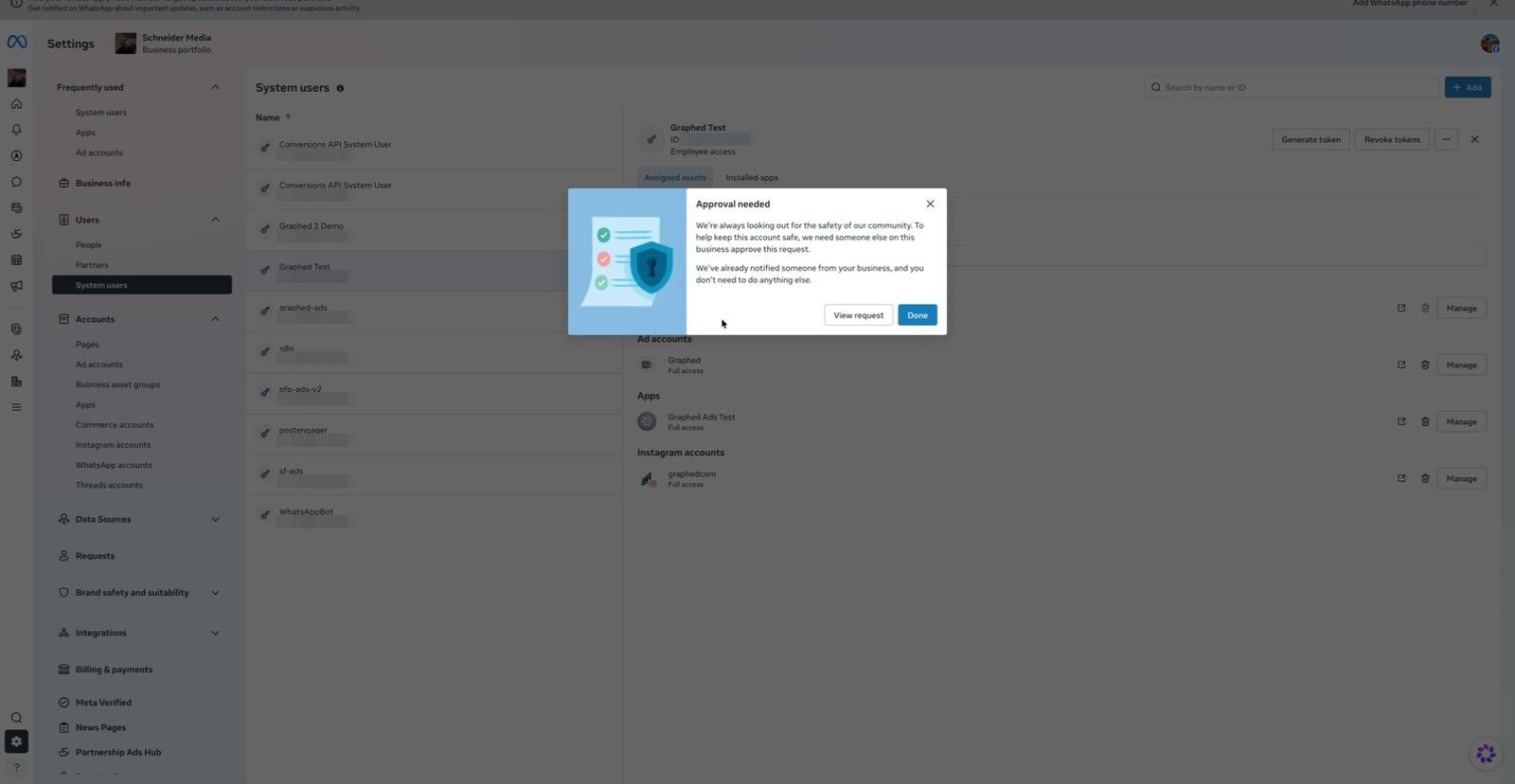
1. Click View request and send that URL to another admin.
2. Once they approve, Meta returns the token.
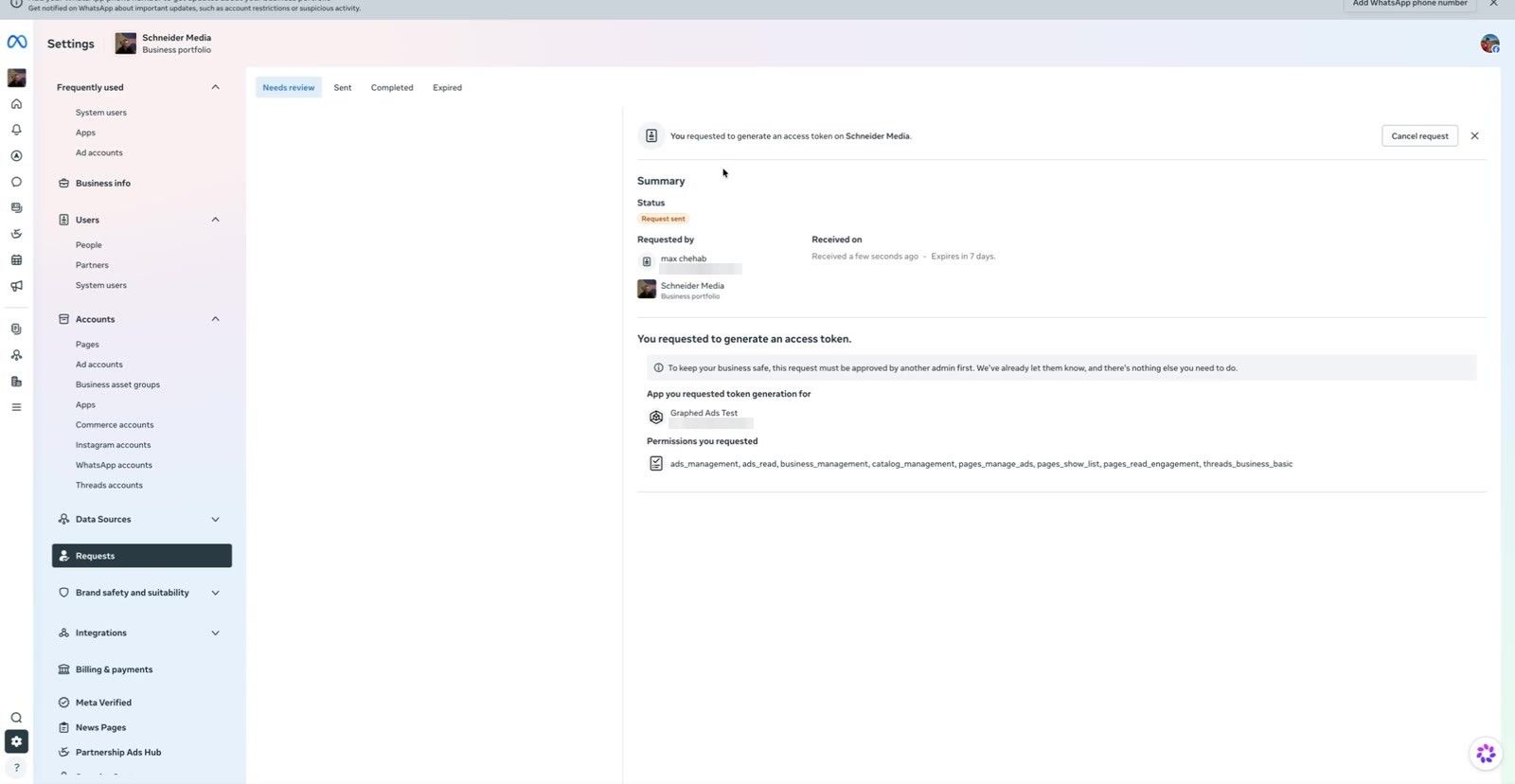
Have both people available when you do this step.
Free PDF · the crash course
AI Agents for Marketing Crash Course
Learn how to deploy AI marketing agents across your go-to-market — the best tools, prompts, and workflows to turn your data into autonomous execution without writing code.
Step 6: Give the Token to Claude Code
Now hand the token to Claude Code without pasting it into a chat or committing it to git.
Store it in an environment file. In your project's .env:
META_ACCESS_TOKEN=your_system_user_token
META_AD_ACCOUNT_ID=act_1234567890
You can find your ad account ID in Ads Manager. It starts with act_. Make sure .env is listed in .gitignore.
Tell Claude Code how to treat it. Add a short note to your project's CLAUDE.md:
## Meta Marketing API
- Token is in .env as META_ACCESS_TOKEN. Ad account is META_AD_ACCOUNT_ID.
- Never print, echo, or log the token. Reference it by variable name only.
- Send the token in the Authorization header, not in the URL.
- Create new ads and campaigns as PAUSED. Ask before turning anything on or raising a budget.
That last line matters. A token with ads_management can spend real money, so make "paused by default" a standing rule for the agent.
Test the connection. Ask Claude Code to run a test call, or run it yourself. Replace v25.0 with the current version in Meta's Marketing API changelog:
source .env && curl -s \
  -H "Authorization: Bearer $META_ACCESS_TOKEN" \
  "https://graph.facebook.com/v25.0/me/adaccounts?fields=name,account_id,account_status"
If the token works, you get back your ad account name and ID. If you get an empty list, the ad account was not assigned to the system user in Step 4. If you get a permissions error, go back to Step 5 and check the scopes.
You can also paste the token into Meta's Access Token Debugger to confirm the app, the scopes, and that "Expires" says Never.
What to Ask Claude Code Once It Is Connected
With the token in place, you can work with your ad account in plain English. Some prompts that work well:
- "Pull spend, CPM, CTR, and cost per purchase for every active ad set in the last 7 days. Sort by cost per purchase."
- "Find ads with frequency over 4 and CTR below 0.8% and list them. Don't pause anything yet."
- "Write a script that saves daily campaign insights to a CSV, and show me how to run it every morning with cron."
- "Upload the images in
./creativesas new ads in ad set 1202… with the headline and copy incopy.md. Create them paused."
Claude Code writes and runs the Graph API calls and summarizes the results. Because the token never expires, scripts you set up today keep running next quarter.
Common Errors and Fixes
- "Error validating access token: Session has expired." You generated a 60-day or user token. Make a new system user token with expiration set to Never.
- "(#200) Requires ads_management permission." The scope was not selected when the token was generated. Generate a new token and select all permissions.
- "(#100) Missing permissions" when creating ads. The Facebook Page is not assigned to the system user, or the token is missing
pages_manage_ads. - Empty
adaccountsresponse. The ad account is assigned to you, not to the system user. Repeat Step 4. - "Application does not have the capability to make this API call." The app is still in development mode or is missing the Marketing API use case. Recheck Steps 1 and 2.
Keep Your Meta Marketing API Access Token Safe
A never-expiring token with spend permission works like a company credit card. Treat it like one:
- Never send it in Slack, email, or a support ticket.
- Never commit it to a repo, even a private one.
- Never put it in a URL query string, because URLs end up in logs.
- If it leaks, open the system user in Business Settings and revoke it, then generate a new one.
- Use one system user per tool. If you retire a tool, you can remove its access without breaking the others.
Which Token Setup Should You Use?
- Making one test call to see what the API returns: a short-lived token from the Graph API Explorer is fine.
- Running a script by hand every few weeks: a long-lived user token works, but plan to refresh it every 60 days.
- Connecting Claude Code, a cron job, or any agent: use a system user token with expiration set to Never.
- Managing ad accounts for clients you don't own: you need App Review, Business Verification, and Advanced Access on top of this setup.
- Want the reporting without managing tokens at all: connect Facebook Ads to Graphed. It syncs your ad data into a warehouse with your other channels, and you ask questions in plain English instead of writing API calls.
Related Articles
ClickHouse vs Postgres: When to Switch to Columnar
Comparing ClickHouse vs PostgreSQL means matching storage architecture to workload. Row storage wins for transactions. Columnar wins for scan-heavy analytics.
Google Ads for Orthodontists: Get More Booked Consults
Most orthodontic Google Ads campaigns waste money on low-intent searches. The problem is structure, not the platform.
SEO for Surgeons: Ranking for Procedures That Fill OR Schedules
Surgeon SEO is not general healthcare SEO. Patients search by procedure first, credentials second. This guide covers technical requirements, content strategy, and conversion paths that actually fill OR schedules.